Stationery and Identity Branding Mockups: A Practical Guide to Professional Presentation
In the modern creative workflow, the gap between a digital design file and a tangible brand identity is often bridged by presentation. Clients, stakeholders, and even internal teams struggle to visualize how a flat logo or color palette will translate into physical reality. This is where Stationery and Identity Branding Mockups become an indispensable asset. These tools are not merely decorative; they are functional components of a professional design process that ensure consistency, build trust, and accelerate approval cycles.
For freelancers, agency owners, and in-house marketers, understanding how to integrate high-quality mockups into your routine can significantly enhance the perceived value of your work. By utilizing resources that offer smart object replacement, realistic lighting, and organized layers, you transform abstract concepts into concrete visual narratives. This article explores how these assets fit into broader business workflows, from initial concept validation to final client handoff.
The Role of Mockups in Brand Identity Development
Brand identity is more than a logo; it is a system of visual cues that communicate values and professionalism. When developing this system, designers often work in isolated environments—vector software for logos, layout programs for business cards, and spreadsheets for color codes. However, the true test of a brand’s coherence happens when these elements interact on physical materials.
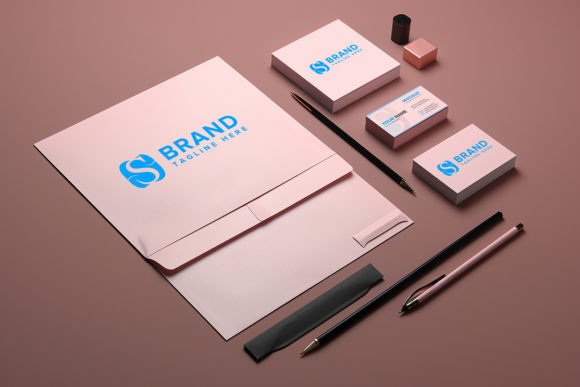
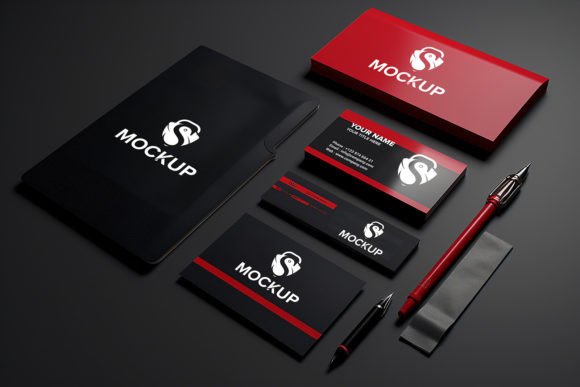
Using Stationery and Identity Branding Mockups allows creators to simulate this interaction before any printing costs are incurred. It serves as a critical quality control step. By placing your design onto realistic representations of letterheads, envelopes, business cards, and packaging, you can identify spacing issues, contrast problems, or scale discrepancies that might go unnoticed on a white canvas. This proactive approach saves time and resources, preventing costly revisions after production has begun.
Streamlining the Workflow with Smart Objects
One of the most significant barriers to adopting mockups in the past was the technical skill required to manipulate them. Modern solutions have largely eliminated this hurdle through the use of smart objects. A high-quality mockup pack typically includes PSD files where the design area is linked to a smart object layer. This feature is central to efficient workflow integration.
With smart object replacement, the process becomes remarkably straightforward. You do not need advanced Photoshop skills to achieve photorealistic results. Simply double-click the smart object thumbnail, paste your logo or design, save, and close the window. The software automatically applies the correct perspective, shadows, lighting, and texture interactions. This automation ensures that your design looks like it was physically printed on the paper, complete with subtle imperfections that add authenticity.
This ease of use means that non-designers, such as marketing managers or small business owners, can also utilize these tools to create consistent social media content or pitch decks. It democratizes high-end presentation, allowing anyone with a basic understanding of file management to produce professional-grade visuals without extensive training.
Enhancing Client Communication and Approval
Presenting a logo on a white background often fails to evoke an emotional response. In contrast, showing that same logo embossed on a textured business card or printed on a crisp letterhead creates a tangible connection. This psychological shift is crucial during the client approval phase.
When you present your work using Stationery and Identity Branding Mockups, you are not just showing a design; you are selling a vision of the brand’s future. Clients can better understand how their identity will live in the real world. This clarity reduces ambiguity and minimizes the number of revision rounds. Instead of debating abstract aesthetic choices, discussions focus on how the brand feels and functions in practical applications.
Furthermore, these mockups help in setting realistic expectations. By showcasing the design in various contexts—such as dark mode vs. light mode, or different paper stocks—you demonstrate thoroughness and attention to detail. This builds trust and positions you as a strategic partner rather than just a service provider.
Technical Considerations for High-Quality Output
To maximize the effectiveness of these tools, it is essential to pay attention to technical specifications. A premium mockup pack should offer high-resolution files, typically at 300 DPI, ensuring that the output remains sharp even when zoomed in or printed for large-format presentations. Low-resolution assets can undermine the professionalism of your presentation, introducing pixelation that distracts from the design itself.
Organization is another critical factor. Well-structured PSD files with clearly labeled folders and layers save valuable time. When working under tight deadlines, the ability to quickly locate the smart object layer, adjust background colors, or toggle shadow visibility is invaluable. Look for packs that offer fully editable features, allowing you to customize the environment to match the brand’s tone. For instance, changing the background from a clean white desk to a rustic wooden surface can drastically alter the mood of the presentation.
Compatibility is also key. Ensure that the mockup files are compatible with your version of Photoshop or other supported software. While most industry-standard tools support smart objects, verifying file formats and layer structures beforehand prevents technical glitches during critical presentation moments.
Integrating Mockups into Your Daily Routine
Incorporating Stationery and Identity Branding Mockups into your daily workflow does not require a complete overhaul of your processes. Instead, it involves small, strategic adjustments. Here are some practical ways to integrate these assets:
- Concept Validation: Use mockups early in the design process to test logo scalability and legibility across different mediums.
- Portfolio Building: Enhance your online portfolio with realistic project images. Potential clients are more likely to engage with work that looks applied and real rather than theoretical.
- Social Media Content: Create consistent visual content for Instagram or LinkedIn by rotating through different mockup scenes. This keeps your feed engaging without requiring new photoshoots.
- Internal Reviews: Use mockups during team meetings to facilitate clearer feedback. Visual context helps team members provide more specific and actionable comments.
By treating mockups as a standard part of your deliverable package, you elevate the overall quality of your output. It shifts the perception of your work from a digital file to a comprehensive brand solution.
Long-Term Value and Consistency
Beyond immediate project needs, investing in a versatile set of mockups offers long-term value. As your brand or client base evolves, having a library of consistent visual templates ensures that all communications maintain a cohesive look and feel. This consistency is vital for brand recognition and trust.
Moreover, reusable mockups reduce the time spent on repetitive tasks. Once you have established a set of preferred scenes and angles, you can rapidly generate new visuals for product launches, seasonal campaigns, or updates. This efficiency allows you to focus more on strategic creative decisions rather than technical execution.
In conclusion, Stationery and Identity Branding Mockups are more than just pretty pictures; they are essential tools for effective communication, quality assurance, and professional presentation. By leveraging smart object technology and high-quality realistic renders, you can bridge the gap between digital design and physical reality. Whether you are a seasoned designer or a business owner managing your own brand, integrating these tools into your workflow will enhance clarity, boost confidence, and ultimately drive better outcomes for your projects.