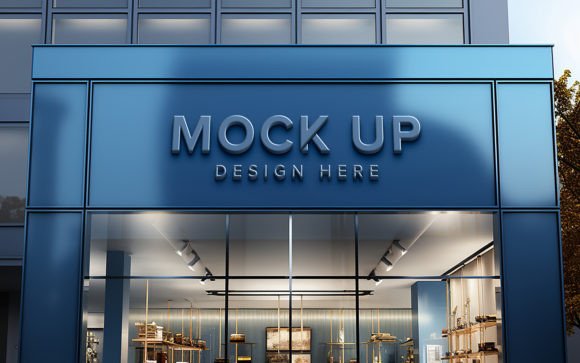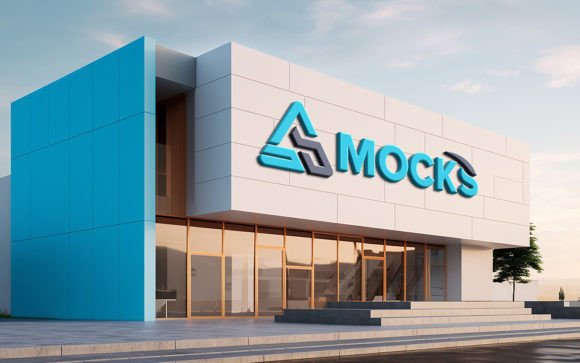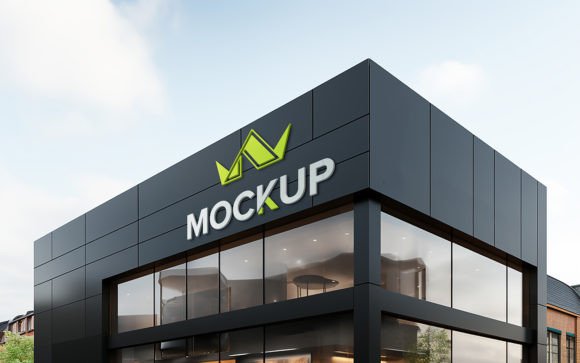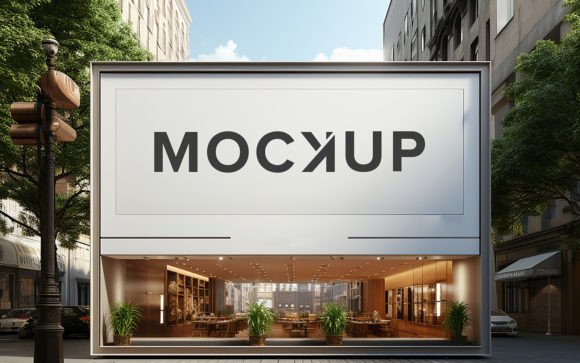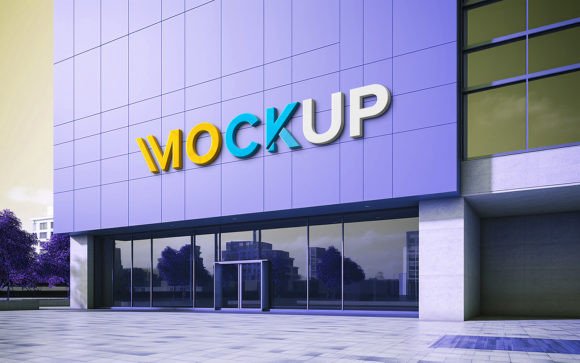
Elevating Brand Presence with a Front View Storefront Brand Logo Mockup
In the competitive landscape of modern retail and digital commerce, first impressions are not just important—they are decisive. For entrepreneurs, graphic designers, and marketing professionals, the ability to visualize a brand in a real-world context is a critical step in the creative process. This is where a Front View Storefront Brand Logo Mockup becomes an indispensable tool. It bridges the gap between abstract design concepts and tangible reality, allowing creators to present their work with professionalism and clarity.
The demand for high-quality visual assets has grown exponentially as consumer expectations shift toward polished, authentic branding. Whether you are launching a new boutique, rebranding an existing business, or presenting a pitch to a client, seeing your logo applied to a realistic storefront facade provides immediate context. It helps stakeholders understand how the brand will interact with its physical environment, influencing perceptions of quality, trust, and accessibility.
The Evolution of Visual Presentation in Design Workflows
Historically, creating a realistic preview of a storefront sign required extensive photography skills, complex lighting setups, or advanced 3D modeling expertise. Designers had to either stage physical photoshoots—which are costly and time-consuming—or rely on flat, two-dimensional representations that failed to capture the nuance of light, shadow, and texture. Today, the workflow has transformed dramatically thanks to sophisticated digital tools and smart object technology.
Modern design practices prioritize efficiency without sacrificing quality. The integration of smart object replacement in Photoshop files has democratized high-end visualization. Now, users do not need to be expert photographers or 3D artists to achieve photorealistic results. By utilizing a pre-built mockup, professionals can focus on the core aspects of brand identity—typography, color psychology, and layout—while the software handles the environmental realism automatically. This shift reflects a broader trend in creative industries: the move toward streamlined, agile workflows that allow for rapid iteration and feedback.
Why Realism Matters in Brand Communication
Human beings are visually driven creatures. We interpret depth, lighting, and texture subconsciously to determine authenticity. A flat logo on a white background tells a viewer what the brand looks like, but a logo integrated into a Front View Storefront Brand Logo Mockup tells them how the brand feels. The interplay of sunlight on glass, the subtle shadows cast by lettering, and the texture of the building materials all contribute to a narrative of permanence and quality.
For businesses, this level of detail is crucial. It reduces the cognitive load for potential customers or investors who might struggle to imagine how a digital file translates to a physical space. When a design includes correct shadows and lighting, it mimics the way our eyes perceive the world. This realism builds trust. It suggests that the brand is established, thoughtful, and ready for the market. For freelancers and agencies, providing such realistic previews can be the differentiator that wins a contract, as it demonstrates a commitment to excellence and attention to detail.
Key Features That Enhance Usability
The utility of a mockup template lies in its balance between complexity and ease of use. A well-designed Front View Storefront Brand Logo Mockup should offer high fidelity while remaining accessible to users with varying levels of technical skill. Here are the essential features that make these tools effective:
- High-Quality 3D Realism: The foundation of any good mockup is its resolution and depth. At 300 DPI, the image remains crisp even when viewed closely or printed for presentations. The 3D rendering ensures that perspectives are accurate, avoiding the distorted look that plagues lower-quality templates.
- Smart Object Replacement: This is the core functionality that saves time. By simply double-clicking the smart object layer, users can paste their own logo, design, or text. Once saved, the design automatically wraps onto the storefront surface, adjusting for perspective and scale.
- Automatic Lighting and Shadows: One of the most challenging aspects of compositing is matching lighting. A premium mockup handles this internally. Your design inherits the ambient light, highlights, and shadows of the scene, making it look like it was physically installed on the building.
- Fully Layered and Organized: Professional workflows require organization. Well-structured folders allow users to toggle visibility, adjust colors, or modify background elements without disrupting the main design. This flexibility ensures the template can adapt to various brand guidelines.
- No Skill Requirement: Perhaps the most significant advantage is accessibility. You do not need advanced knowledge of Photoshop blending modes or masking techniques. The template is designed to be intuitive, allowing beginners to achieve professional results instantly.
Practical Applications for Creators and Businesses
The versatility of a storefront mockup extends beyond simple logo placement. It serves multiple functions across different stages of business development and marketing.
Client Presentations: For graphic designers, showing a logo on a business card is standard, but showing it on a storefront elevates the pitch. It helps clients visualize the long-term potential of their brand identity. It transforms a static design into a living part of the urban landscape.
Social Media Marketing: In an era where visual content dominates platforms like Instagram and LinkedIn, high-quality mockups generate higher engagement. A realistic storefront image stands out in a feed filled with flat graphics. It tells a story of aspiration and growth, which resonates with audiences.
Interior and Exterior Planning: Business owners can use these mockups to test different signage options before committing to manufacturing. They can experiment with color variations, font sizes, and materials virtually, saving money on physical prototypes and reducing waste.
Integrating Mockups into Modern Digital Strategies
As remote work and digital collaboration become the norm, the ability to share clear, contextual visuals is more important than ever. A Front View Storefront Brand Logo Mockup facilitates better communication among distributed teams. Instead of lengthy email descriptions trying to explain how a sign should look, a designer can send a single JPG file that conveys the entire concept instantly.
Moreover, these tools align with the growing emphasis on speed-to-market. Startups and small businesses often operate with limited resources and tight deadlines. The ability to produce high-quality marketing assets quickly allows them to compete with larger entities that have dedicated production teams. By leveraging ready-to-use PSD files, entrepreneurs can maintain a professional image from day one, establishing credibility even before they open their physical doors.
Making the Most of Your Template
To maximize the value of your mockup, consider the following best practices. First, ensure your source logo is high-resolution and preferably in vector format or a high-DPI PNG with a transparent background. This ensures clean edges when placed into the smart object. Second, pay attention to the scale. Even though the mockup adjusts perspective, maintaining proportional accuracy in your original design will yield more realistic results.
Additionally, explore the editable layers. While the primary function is logo replacement, many templates allow you to adjust the time of day, change the wall color, or modify the surrounding environment. These small tweaks can help tailor the image to match specific brand moods or seasonal campaigns.
Finally, remember that these tools are meant to enhance your creativity, not replace it. Use the realistic foundation provided by the mockup as a canvas for your unique brand story. Whether you are a seasoned agency or a solo entrepreneur, the right visual tools can amplify your message and connect with your audience on a deeper level.
The pack typically includes one high-resolution PSD file and one JPG preview, ensuring you have both the editable source and a quick-view option. As you integrate these assets into your workflow, you will find that the barrier between idea and execution becomes significantly smaller, allowing your brand to shine with clarity and confidence.