Elevating Brand Identity with the Brown Wooden Wall Logo Mockup
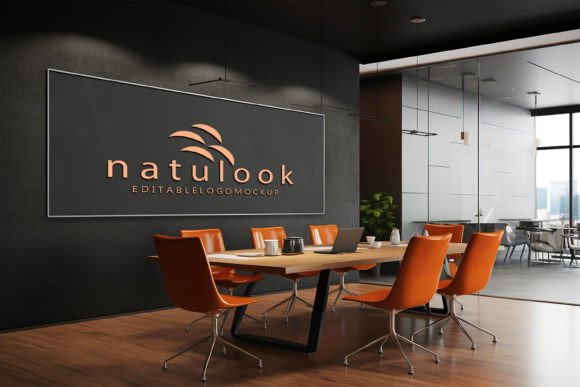
In the competitive landscape of modern branding, the gap between a digital concept and a tangible reality is often where client confidence is won or lost. Designers spend hours perfecting vector curves and selecting color palettes, yet presenting these elements on a flat, white background rarely captures the imagination of a stakeholder. This is where high-fidelity presentation tools become indispensable. Specifically, the Brown Wooden Wall Logo Mockup has emerged as a vital asset for professionals seeking to ground their designs in warmth, texture, and realism.
This tool is not merely a background image; it is a sophisticated presentation engine that transforms a simple logo file into a photorealistic installation. By leveraging advanced smart object technology, designers can bypass complex lighting adjustments and shadow casting, allowing them to focus entirely on the creative aspect of their work. The result is a polished, professional preview that speaks volumes about quality and attention to detail.
The Psychology of Texture and Warmth in Branding
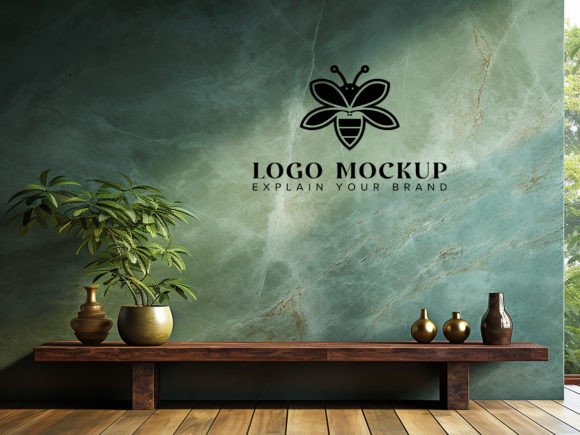
Why choose wood? In an era dominated by sleek glass, cold steel, and minimalist white spaces, organic materials offer a counter-narrative that resonates deeply with audiences. Wood conveys stability, heritage, and craftsmanship. A brown wooden wall provides a rich, earthy backdrop that contrasts beautifully with both light and dark logo variations, ensuring your design stands out without feeling aggressive or sterile.
When you place a logo against this textured surface, you are subtly communicating values of reliability and natural quality. This is particularly effective for industries such as artisanal coffee shops, boutique hotels, organic skincare brands, and architectural firms. The grain of the wood adds depth, preventing the logo from looking like a sticker slapped onto a screen. Instead, it appears integrated into the environment, suggesting that the brand is part of a physical, lived-in space.
Simplifying the Workflow with Smart Objects
One of the most significant barriers to creating realistic mockups has traditionally been the technical skill required to manipulate perspective, lighting, and shadows in Photoshop. Misaligned perspectives or unnatural drop shadows can instantly break the illusion, making a design look amateurish. The Brown Wooden Wall Logo Mockup eliminates these hurdles through its intelligent use of Smart Objects.
The process is remarkably straightforward. You do not need to be a Photoshop expert to achieve studio-quality results. The file is structured so that all the heavy lifting regarding lighting and perspective is pre-calculated. Here is how the workflow typically unfolds:
- Open the PSD file: Launch the template in Adobe Photoshop. The layers are fully organized, ensuring you never have to hunt for the right element.
- Locate the Smart Object: Find the designated layer marked for replacement. This is usually clearly labeled within a folder structure designed for ease of navigation.
- Insert Your Design: Double-click the Smart Object thumbnail. A new window will open where you can paste your logo, text, or graphic design.
- Save and Update: Once you save the Smart Object file, the main document automatically updates. Your design is instantly warped, lit, and shaded to match the contours and lighting of the wooden wall.
This automation ensures that your design maintains the correct shadows and lighting, looking like a real physical object rather than a digital overlay. It saves hours of manual adjustment time, allowing designers to iterate quickly and present multiple concepts to clients in a fraction of the usual time.
Technical Excellence and High-Resolution Output
Quality cannot be compromised when presenting to high-end clients. A pixelated or blurry mockup undermines the perceived value of the design itself. This particular mockup package is engineered for professional standards, boasting a resolution of 300 DPI. This high density ensures that even when zoomed in or printed for physical portfolios, the details remain crisp and clear.
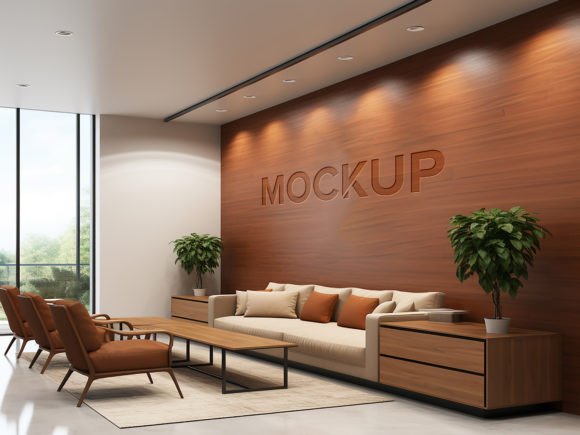
The 3D realism is achieved through meticulous rendering. The wood texture is not a flat pattern; it has depth, with visible grains and subtle imperfections that mimic real timber. The lighting is soft yet directional, creating natural highlights and shadows that give the logo a three-dimensional presence. Whether your logo is embossed, painted, or mounted as a sign, the mockup adapts to provide a believable representation.
Furthermore, the file is 100% editable. While the smart object handles the primary placement, the layered structure allows for further customization if needed. You can adjust the overall color tone of the wood, tweak the brightness of the scene, or modify the intensity of the shadows to better suit your specific brand colors. This flexibility ensures that the mockup serves a wide variety of aesthetic preferences.
Versatility Across Industries and Projects
The utility of the Brown Wooden Wall Logo Mockup extends far beyond simple logo presentations. Its versatility makes it a valuable tool for various design scenarios:
- Interior Signage Proposals: For architects and interior designers, this mockup helps visualize how signage will look in a lobby or reception area. It provides clients with a realistic expectation of the final install.
- Packaging and Product Branding: Brands that emphasize eco-friendly or rustic aesthetics can use this background to showcase product labels or packaging designs in a context that reinforces their brand story.
- Social Media Content: High-quality visuals perform better on platforms like Instagram and Pinterest. Using a realistic mockup can elevate social media posts, making them more engaging and shareable.
- Portfolio Enhancement: Freelancers and agencies can use these mockups to create cohesive case studies. Showing a logo in a realistic environment demonstrates foresight and professionalism to potential clients.
What Is Included in the Package
Understanding what you receive is crucial for integrating the tool into your workflow. The pack is streamlined to include only what is necessary, avoiding bloat while ensuring completeness:
- 1 PSD File: The primary working file with all layers, smart objects, and organizational folders intact.
- 1 JPG File: A high-resolution preview image, useful for quick references or web uploads without opening Photoshop.
The layers are well-organized in folders, which is a hallmark of professional-grade templates. This organization means that even if you are new to using mockups, you can navigate the file with confidence. There are no hidden layers or confusing naming conventions, just a clean, logical structure that supports efficient editing.
Making the Right Choice for Your Presentation
When selecting a mockup, consider the mood you wish to convey. The brown wooden wall offers a specific atmosphere—warm, inviting, and grounded. If your brand is tech-focused or futuristic, this might not be the ideal choice. However, for brands rooted in tradition, nature, luxury, or craftsmanship, it is unparalleled.
Additionally, consider the complexity of your logo. Intricate designs with fine lines benefit greatly from the high resolution and clear contrast provided by this mockup. Simpler logos gain character from the texture of the wood, which adds visual interest without overwhelming the design.
It is also worth noting the importance of supporting creators. High-quality resources like this require significant time and expertise to produce. By utilizing and rating these tools, you contribute to a ecosystem of better design resources for everyone. A simple rating helps other designers find reliable tools and encourages creators to continue producing high-standard assets.
Final Thoughts on Professional Presentation
In the end, the goal of any designer is to communicate value. A logo on a white square is just data; a logo on a Brown Wooden Wall Logo Mockup is an experience. It invites the viewer to imagine the brand in the real world. It bridges the gap between abstract design and physical presence.
By adopting tools that simplify the technical aspects of presentation, you free up mental energy for creativity and strategy. You no longer need to worry about whether the shadow angle is correct or if the perspective matches the camera lens. The smart object technology handles it all, delivering a consistent, high-quality result every time. This reliability allows you to present your work with confidence, knowing that the medium is doing justice to the message. Whether you are a seasoned agency art director or a freelance graphic designer just starting out, integrating this type of realistic mockup into your toolkit is a step toward more compelling, persuasive, and professional design communication.