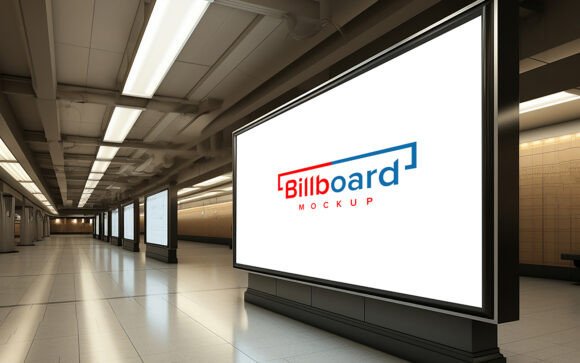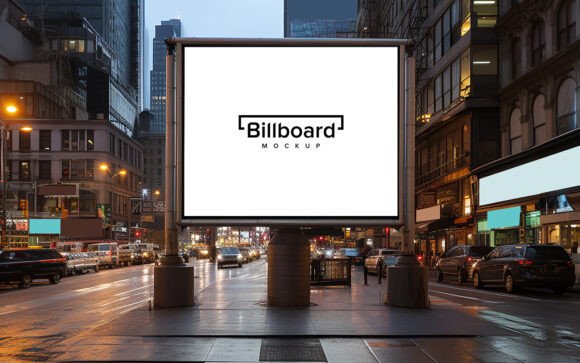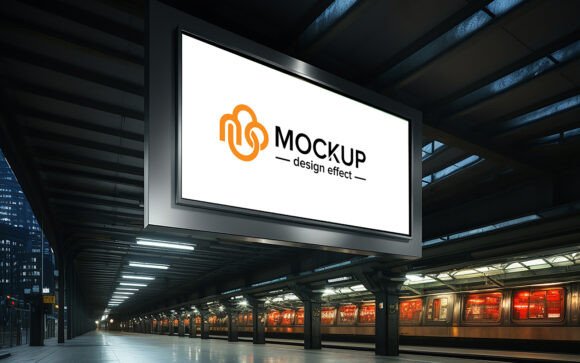
Metro Subway Billboard Mockup PSD
In the fast-paced world of urban advertising, visibility is everything. Yet, presenting a digital design to a client or stakeholder often feels disconnected from reality. A flat JPEG on a screen rarely captures the grit, scale, and atmospheric lighting of a real-world environment. This is where the Metro Subway Billboard Mockup Psd becomes an indispensable tool for modern creatives. It bridges the gap between abstract concept and tangible execution, allowing designers to visualize their work in a high-traffic, authentic setting without the logistical nightmare of a physical photoshoot.
This resource is not merely a background image; it is a sophisticated, layered file designed for precision and ease. By leveraging smart object technology, you can insert your own logo, design, or text, and the mockup automatically applies realistic shadows, lighting, and perspective distortions. The result is a presentation that looks professionally photographed, lending immediate credibility to your pitch.
Why Realism Matters in Design Presentation
Clients and marketing directors are visual thinkers, but they are also skeptical ones. They need to understand how a campaign will perform in the wild. A sterile, white-background export of a billboard design fails to answer critical questions: How does the color palette interact with the dim, artificial lighting of a subway station? Does the typography remain legible against the textured concrete walls? Is the scale appropriate for commuters rushing past at speed?
Using a high-quality 3D realistic mockup answers these questions before a single dollar is spent on printing and installation. The Metro Subway environment offers a unique aesthetic—industrial, urgent, and highly visible. By placing your design in this context, you demonstrate foresight and attention to detail. It shows that you have considered the user experience of the commuter, not just the aesthetics of the graphic.
Unlocking Creative Possibilities
The versatility of this mockup extends far beyond standard corporate advertising. Because the file is 100% editable and features well-organized layers in folders, it serves as a canvas for various creative disciplines. Here is how different professionals can adapt this tool for their specific goals:
- Brand Strategists: Test multiple variations of a campaign message. See how a bold, minimalist logo performs compared to a text-heavy promotional offer. The realistic lighting helps determine which version grabs attention in low-light conditions.
- Social Media Managers: Create engaging content for Instagram or LinkedIn. Posts featuring "real-world" applications of digital designs consistently outperform flat graphics. Use the mockup to showcase behind-the-scenes development or final campaign launches.
- Freelance Designers: Elevate your portfolio. Instead of showing isolated icons or banners, display them in situ. This contextualization helps potential clients visualize the value you bring to their brand identity.
- Educators and Students: Teach the principles of environmental graphic design. Students can learn about scale, contrast, and placement by experimenting with their projects in a realistic subway setting.
Technical Excellence Meets User-Friendly Design
One of the most significant barriers to using high-end mockups is the technical skill required. Many templates demand advanced knowledge of blending modes, masking, and perspective warping. This Metro Subway Billboard Mockup Psd eliminates that friction. The core feature is its Smart Object Replacement capability.
You do not need to be a Photoshop expert to achieve professional results. The process is straightforward: open the smart object layer, paste your design, save, and close. The mockup automatically handles the heavy lifting. It applies the correct shadows to ground the design, adjusts the lighting to match the ambient glow of the subway lamps, and warps the perspective to fit the curvature or angle of the billboard structure. This automation ensures that even users with no skill requirement can produce output that looks like it was captured by a professional photographer.
Furthermore, the file is optimized for quality. At 300 DPI, it ensures that every pixel is crisp, making it suitable for high-resolution presentations or large-format prints. The inclusion of both a PSD and a JPG in the pack provides flexibility; use the PSD for editing and the JPG for quick previews or web uploads.
Strategic Applications for Small Businesses
For small business owners and entrepreneurs, budget constraints often limit marketing experimentation. Physical advertising is expensive and risky. If a billboard design fails, the cost of reprinting and reinstalling is prohibitive. This mockup allows for risk-free iteration.
Imagine a local coffee shop launching a new seasonal blend. Before committing to a print run, the owner can test three different visual approaches using the subway mockup. They can share these realistic previews with a focus group or on social media to gauge reaction. The feedback gathered from these realistic visuals is far more valuable than opinions on abstract digital files. It allows for data-driven decisions based on how the design actually feels in a public space.
Maintaining Consistency and Clarity
While the tool simplifies the technical process, the creative responsibility remains with the user. To keep results effective and audience-friendly, consider the following best practices when using this mockup:
- Respect the Lighting: Since the mockup simulates a subway environment, avoid using designs that rely on subtle pastel gradients or fine details that may get lost in the shadowy atmosphere. Bold colors and high-contrast typography tend to perform better in this setting.
- Keep It Simple: Commuters are moving quickly. Your design should communicate its message in seconds. Use the realistic preview to check if your headline is readable from a distance.
- Organize Your Layers: Although the mockup comes with well-organized folders, maintain your own discipline. Name your smart objects clearly if you are creating multiple variations. This saves time during revisions and ensures consistency across a campaign.
- Contextual Relevance: Ensure your design fits the urban vibe. A hyper-corporate, sterile design might clash with the gritty texture of the subway walls. Embrace the environment by choosing fonts and imagery that complement the industrial aesthetic.
Elevating Your Workflow
Incorporating this tool into your workflow is about more than just saving time; it is about enhancing communication. When you present a design that looks real, you invite stakeholders to imagine the success of the campaign. It shifts the conversation from "Does this look nice?" to "How will this impact our audience?"
The Metro Subway Billboard Mockup Psd is a testament to how technology can empower creativity. It removes technical barriers, allowing designers, marketers, and business owners to focus on what truly matters: crafting compelling messages that resonate in the real world. Whether you are pitching a major brand campaign or promoting a local event, this tool provides the realistic foundation needed to make your ideas shine.
As you explore the possibilities, remember that the best designs are those that consider their environment. Use this mockup not just as a presentation tool, but as a design partner. Let the realistic shadows and lighting guide your choices, ensuring that your final output is not only visually striking but also practically effective. For those looking to streamline their creative process without sacrificing quality, this resource is an essential addition to the digital toolkit.
If you find this tool valuable in enhancing your presentations and streamlining your design workflow, please consider rating it. Your feedback helps other creators discover resources that can elevate their professional output.